
You can create a hair salon website without any coding skills. Today, salon website creation helps you stand out and meet client expectations. Customers often check your hair salon website first to explore services, prices, and photos. They love the convenience of online booking and clear information.
With the right no-code tools, you can build a salon website that boosts your online presence and makes integration of features simple. This step-by-step guide gives you the confidence to create a website that brings clients closer to your salon.
Key Takeaways
Set clear goals for your salon website to align with your business objectives. This helps attract new clients and retain existing ones.
Choose a no-code website builder that meets your salon’s specific needs, such as easy booking and mobile responsiveness.
Incorporate essential features like online appointment management and client testimonials to enhance user experience and build trust.
Optimize your website for SEO and ensure it is mobile-friendly to increase visibility and engagement with potential clients.
Regularly update your website with fresh content and features to keep it relevant and appealing to visitors.
Set Goals for Salon Website Creation
Before you jump into salon website creation, you need to set clear goals. When you align your website goals with your business objectives, you set yourself up for success. You want your hair salon website to do more than just look good.
It should help you attract new clients, keep current ones happy, and grow your business. Brands like Alpha show how a clear mission and strong values can guide every step, from design to content and marketing.
Define Your Salon’s Needs
Start by thinking about what your salon needs most from a website builder. Do you want to boost your online presence or make booking easier? Maybe you want to showcase your best work or share your story. Here’s a quick table to help you focus:
Essential Need | Description |
|---|---|
Define Your Salon’s Brand | Make your design reflect your unique style and target audience. |
User-Friendly Layout | Keep navigation simple so visitors find what they need fast. |
Engaging Elements | Add galleries or videos to make your content pop and keep people interested. |
Easy Appointment Scheduling | Use a website builder that lets clients book right from your site. |
Mobile Responsiveness | Make sure your design looks great on any device. |
When you pick a website builder, look for tools that support these needs. You want features that help you create a hair salon website that feels personal and professional.
Tip: Aligning your website goals with what your clients want leads to happier customers and more bookings. Happy clients come back and tell their friends.
List Key Features and Content
Now, let’s talk about the content and features you need to build out your website pages. A strong hair salon website includes:
Feature | Description |
|---|---|
Personalized User Experience | Greet clients and suggest services based on their preferences. |
Professional Visual Branding | Use consistent design elements to build trust and show off your salon’s identity. |
Client-Focused Messaging | Write content that speaks to your clients’ needs and encourages them to book. |
Online Appointment Management | Let clients schedule, reschedule, and get reminders easily. |
Gift Cards and Referral Incentives | Offer these to keep clients coming back and to attract new ones. |
You also want high-quality images, detailed service descriptions, and real client testimonials. A blog with expert advice can set you apart and support your marketing. When you create a content plan, make sure every page has a clear purpose.
Start with a homepage that grabs attention, a service menu with prices, and a gallery that shows your best work. Build out your website pages with content that answers client questions and makes booking simple.
When you pick a website builder, check if it supports all these features. The right website builder will help you create a hair salon website that’s easy to update, looks amazing, and helps you promote your website. With a solid plan, you can create a content plan that supports your marketing and keeps your salon growing.
Choose and Register a Domain
You want your hair salon website to stand out from the start. The first step in salon website creation is picking a domain name that clients will remember. Your domain is your online address. It helps people find you and sets the tone for your brand.
Tips for a Memorable Domain
Choosing the right domain name can make a big difference. Here’s how you can find one that works for you:
Brainstorm a shortlist. Try using alliteration or your city’s name to make it catchy.
Check if the name is available. Search your state’s business name database to avoid duplicates.
Test your ideas. Ask friends, clients, or even your team if the name feels right.
Make sure the domain and social media handles are free. You want a consistent brand everywhere.
Think about your logo. Picture how the name will look on your website, business cards, and marketing.
Trust your gut. Pick the name that feels best for your salon.
Tip: A short, simple domain is easier for clients to remember and type. It also looks great on testimonials and appointment booking pages.
Local and Legal Considerations
You need to follow some rules before you register your domain. These steps help protect your business and keep things running smoothly:
Research your state and city rules. Each place has different licensing requirements for salons.
Register your business name and structure with your state’s office.
Fill out all applications and pay the fees. This step is important for legal protection.
Prepare for inspections. Health, fire, and safety checks are common before opening.
Display your licenses in your salon. Clients like seeing that you follow the rules.
When you create a hair salon website, make sure your domain matches your business name. This helps clients find you online and builds trust. You can even add a page for client testimonials or online appointment booking to show off your best work.
Don’t forget to include payment options and booking details. Real testimonials and client testimonials help new visitors feel confident about choosing your salon.
Select a No-Code Builder for Hair Salon Website
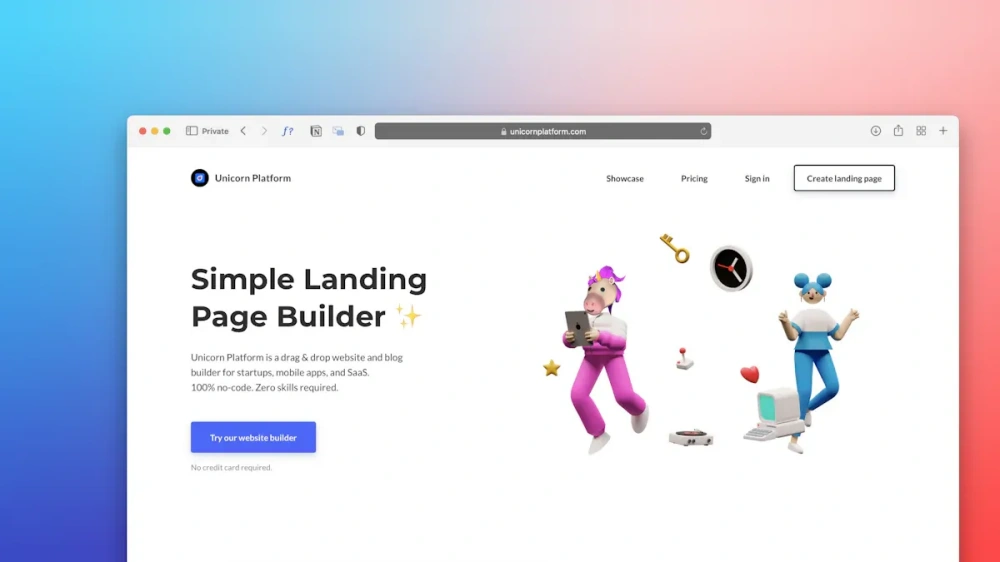
Choosing the right no-code builder is a big step in salon website creation. You want a platform that makes it easy to create a hair salon website, manage bookings, and show off your style. Let’s look at some of the most popular options and see what makes each one unique.
Compare Top Builders (Wix, Squarespace, Vagaro)
You have a lot of choices when it comes to building your hair salon website. Here are some top picks that salons love:
Wix: Known for its drag-and-drop design and flexible templates.
Squarespace: Offers sleek designs and strong branding tools.
Vagaro: Designed for salons and spas, with built-in booking and payment features.
Other popular builders include Shopify, Square Online, and uKit. Each platform has its own strengths, so think about what matters most to you—design, booking, or selling products.
Salon-Specific Features and Costs
When you compare builders, focus on features that make running your salon easier. Here’s a quick table to help you see what matters:
Feature | Description |
|---|---|
Booking Systems | Manage client appointments and keep your schedule organized. |
Payment Integration | Accept payments online for a smooth checkout experience. |
Customizable Templates | Show off your brand with unique designs and easy editing. |
You might also want online bookings, eCommerce tools for selling products, and membership management. Many builders offer free trials, but costs can range from $15 to $50 per month, depending on the features you need.
Alpha provides extra value by supporting salons with both website tools and premium hair products, making it a smart choice if you want everything in one place.
Tip: Pick a builder that fits your budget and supports your growth. The right features will save you time and help you attract more clients.
Design and Build a Salon Website
Pick a Template for Your Brand
You want your hair salon website to stand out from the crowd. Start by choosing a template that matches your brand’s personality. Most no-code builders offer a variety of templates, so you can find one that feels right for your salon. Look for layouts that highlight your services and make booking easy.
A unique and comfortable environment on your site helps clients feel welcome and excited to visit. Templates with space for galleries, testimonials, and booking buttons work best. You can foster loyalty by showing off signature techniques and creating a personalized experience.
Customize Colors, Fonts, and Logo
Now it’s time to make your website design truly yours. Begin with your logo. Keep it simple and memorable so clients recognize it instantly. Make sure it looks good on screens and printed materials. Choose colors that reflect your salon’s vibe. Blues show professionalism, pinks feel nurturing, and blacks add luxury.
Greens suggest organic and eco-friendly values, while vibrant colors show creativity. Use fonts that match your style—elegant, modern, or playful. Stick to a consistent color palette and typography across your site for a cohesive look. Test your branding with your team and clients to see what feels right.
Tip: A strong brand identity helps clients remember you and builds trust. Consistency in colors, fonts, and logo makes your salon look professional.
Add Professional Images and Navigation
Images speak louder than words. High-quality photos of your work show clients what you can do and help them picture themselves as happy customers. Use bright, clear images for your gallery and service pages. Make sure your navigation is easy to use.
Drop-down menus for services and pricing help visitors find what they need fast. Sticky headers keep navigation visible as users scroll. Breadcrumbs let clients track their path, making your site more user-friendly. Intuitive navigation keeps people engaged and encourages them to book appointments.
Note: Small luxuries, like beautiful lighting in your photos, add a touch of exclusivity and make your salon look inviting.
Add Essential Pages to Create a Hair Salon Website
Homepage and Services
Your homepage sets the tone for your entire site. You want it to grab attention right away. Show what makes your salon special and why clients should choose you. Use high-quality photos of your space and happy clients. Make sure your menu is easy to find so visitors can explore your services quickly.
Here’s a quick look at what your homepage and services pages should include:
Key Element | Description |
|---|---|
Clear Value Propositions | Tell visitors what sets your salon apart and what benefits you offer. |
High-Quality Visuals | Use professional images to show off your work and salon atmosphere. |
Easy Navigation | Keep menus simple so clients find information fast. |
Detailed Service Descriptions | List each service with prices and timeframes to help clients decide. |
Online Booking Functionality | Let clients book appointments right from your site. |
Social Proof | Add reviews or testimonials to build trust. |
If you make booking easy and show all your services, you help clients feel confident about scheduling with you.
About, Team, and Gallery
People want to know who will style their hair. Share your story on the About page. Talk about your values and what inspires your team. Introduce each stylist with a photo and a short bio. This builds trust and helps clients connect with your salon.
A gallery page lets you showcase your best work. Post before-and-after photos, creative styles, and happy clients. Use bright, clear images to highlight your skills.
Testimonials and Contact
Testimonials show real experiences from happy clients. They act as social proof and help new visitors trust your salon. Add a few short quotes or reviews on every page, especially near booking buttons.
Your contact page should make it easy for people to reach you. List your phone number, email, and address at the top or bottom of every page. Add a simple contact form with fields for name, email, and message. This makes it easy for clients to ask questions or book appointments.
Booking, Policies, and Blog
An online booking system is a must-have. Clients love scheduling appointments whenever they want. Make sure your booking tool is easy to use and shows your availability.
Add a page for your salon policies. Explain your cancellation rules, payment options, and any other important info. This helps avoid confusion and sets clear expectations.
A blog lets you share hair tips, trends, and salon news. Answer common questions in an FAQ section. This keeps your site fresh and gives clients reasons to come back.
A well-structured hair salon website with these pages meets client expectations and helps your business grow.
Integrate Booking and Payments
Online Scheduling Tools
You want your clients to book appointments quickly and easily. Online scheduling tools make this possible. These tools let clients see your availability, pick a time, and confirm their spot in just a few clicks. You save time, and your clients love the convenience.
Here are some top online scheduling tools for salons:
Booksy Biz: Offers online booking, appointment management, and POS integration.
Vagaro: Handles appointment scheduling and marketing.
Fresha: Helps with client management and inventory tracking.
Square Appointments: Great for solo stylists with free booking features.
GlossGenius: Combines a stylish interface with payment tools.
Using these tools brings many benefits:
Eliminate no-shows by letting clients control their appointments.
Send automated reminders so clients never forget their booking.
Upsell and cross-sell services during the booking process.
Personalize the experience for each client.
Increase your appointment booking rates by making scheduling simple.
Boost customer loyalty with a smooth process.
Automate reminders and scheduling, so you spend less time on the phone.
Reduce wait times and communication delays.
Prompt clients to reschedule, keeping your calendar full.
Streamline your salon’s operations for better service.
Tip: When you use a good scheduling tool, you make life easier for both you and your clients.
Payment Options and Deposits
After clients book their appointments, you want to make payments simple and secure. Offering flexible payment options helps you get paid faster and keeps clients happy.
Many salons now use deposits to secure appointments and reduce no-shows. This small step protects your income and shows clients you value their time.
Common payment options and deposit systems include:
Deposits: Collect a small amount upfront to guarantee the booking.
Credit card processing: Speed up checkouts and offer contactless payments.
Memberships: Give clients regular services at a set price, building loyalty.
Gift cards: Sell online or in your salon to boost profits and attract new clients.
You can set up an automated deposit policy through your online booking software. Make sure you explain your deposit policy clearly, so clients know what to expect. Frame it as a professional courtesy that helps everyone.
Note: Clear communication about deposits and payment options builds trust and keeps your salon running smoothly.
Optimize Hair Salon Website for SEO and Mobile

Keyword and Local SEO
You want your hair salon website to show up when people search for salons in your area. Search engine optimization helps you get noticed by new clients. Most people start their online journey with a search engine. If your salon appears in those results, you have a better chance of getting more bookings.
Here’s how you can boost your online visibility:
Build your local presence by adding your salon to Google Business Profile.
Optimize your service pages with clear descriptions and prices.
Create a strong online presence by sharing updates and photos on your site.
A small salon in New York saw a 150% jump in organic sales after using these strategies. Bookings went up by 40%, and most new clients found the salon through Google. You can see the same results if you focus on local seo and keep your content fresh.
Tip: Use keywords like “hair salon near me” in your page titles and descriptions. This helps people find you when they search on their phones.
Mobile-Friendly Design
Many clients look for salons while they’re on the go. If your site works well on phones, you keep visitors happy and engaged. A mobile-friendly design means your pages load fast and look great on any device.
Here’s what you can do:
Choose a responsive template that adjusts to any screen size.
Optimize images with short file names and alt tags. This helps your site show up in image searches.
Make buttons and menus easy to tap with a finger.
When you focus on mobile design, you improve user engagement. Clients can book appointments from anywhere. Search engines also reward mobile-friendly sites with higher rankings. That’s why search engine optimization and mobile design go hand in hand for your salon’s success.
Launch and Promote Your Website
Social Media and Email Marketing
You’ve built your salon website. Now it’s time to get the word out and keep your audience engaged. Social media and email marketing work together to help you reach more people and stay top of mind.
Share your best before-and-after photos on Instagram or Facebook. Visual platforms let you show off your artistry and attract new clients.
Post client testimonials and behind-the-scenes moments. These build trust and give your salon a friendly face.
Partner with local influencers. They can help you reach new audiences and boost your credibility.
Use stories and reels to promote last-minute openings or special offers. Quick updates keep your followers interested.
Email marketing is just as important. You can:
Send regular newsletters with salon updates, hair tips, and exclusive deals.
Launch targeted campaigns for different groups, like new clients or loyal regulars.
Offer special discounts for first-time visitors.
Remind clients to reschedule or book again.
Ask for feedback through quick survey emails.
Tip: Consistent emails and social posts keep your salon in your clients’ minds. Automation tools make it easy to send updates without extra work.
Announce and Engage Clients
Let your clients know about your new website with excitement. Make the launch feel special and interactive.
Announce your website on all your social channels. Use eye-catching visuals and a warm message.
Share behind-the-scenes photos of your team working on the site.
Highlight client testimonials and success stories to build community.
Run a giveaway or special promotion for clients who book through the new site.
Use your Google Business Profile to share the news and boost your local visibility.
Send a personalized email newsletter to your subscriber list. Thank them for their support and invite them to explore the new site.
Note: Engaged clients are more likely to book again and tell their friends. Keep the conversation going with regular updates and interactive posts.
Track and Update Your Salon Website
Use Analytics Tools
You want to know how your salon website performs. Analytics tools help you see what works and what needs improvement. With the right tools, you can track how many people visit your site, where they come from, and what they do once they arrive.
Here are some of the most popular analytics tools for salons:
Google Analytics: This tool shows you how many visitors you get, which pages they like, and how long they stay.
Google Search Console: You can see how your site appears in search results and find out which keywords bring in traffic.
Hotjar: This tool lets you watch how visitors move around your site. You can spot where they click and where they get stuck.
You can use these tools to:
Monitor website traffic and spot trends.
Optimize your booking process by seeing where clients drop off.
Analyze customer demographics to learn more about your audience.
Tip: Check your analytics every week. You will spot problems early and see what brings in more bookings.
Improve Content and Features
Your website should never feel stale. Regular updates keep your salon looking fresh and help you rank higher in search results. You want clients to see the latest styles, services, and news every time they visit.
Here’s how you can keep your site up to date:
Update your blog every week with hair tips, trends, or salon news.
Review your main pages each month. Make sure your service list, prices, and team bios stay current.
Add new photos to your gallery to show off your latest work.
Refresh testimonials and highlight recent client feedback.
Regular updates help your site stay relevant and improve your SEO. When you keep your content fresh, clients trust your salon and search engines reward you with better rankings.
Note: Set a reminder to review your website each month. Small changes can make a big difference in how clients see your salon.
Conclusion
You now know how salon website creation works from start to finish. When you create a hair salon website, you give your hair salon a real boost. Alpha and other brands help you build a strong online presence for your hair salon. Keep your hair salon website fresh and active.
Regular updates bring big rewards for your hair salon. Check out the table below to see what you gain by staying engaged:
Benefit | Description |
|---|---|
Brand Awareness | Your hair salon stands out and attracts new clients with content that shows your vision. |
Increased Reviews | Your hair salon earns more trust by sharing client feedback and stories. |
New Revenue Streams | Your hair salon can sell services online and turn followers into loyal customers. |
Stay active, keep your hair salon website updated, and watch your hair salon grow. Ready to take your hair salon to the next level? Start today!
FAQ
How long does it take to build a hair salon website with no-code tools?
You can launch your site in a day if you have your content and images ready. Most no-code builders make the process quick and easy.
Do I need to hire a designer or developer?
No, you don’t. You can use templates and drag-and-drop features. These tools let you design everything yourself—even if you’re not tech-savvy.
Can I add online booking to my salon website?
Absolutely! Most no-code builders offer built-in booking tools or easy integrations. You can let clients schedule appointments right from your site.
What if I want to sell hair products online?
You can! Many builders support e-commerce. You just add a shop page, upload your products, and set up payment options. It’s simple and helps you grow your business.